Seating chart templates
Six starting points that open straight in the editor, already laid out and already filled with placeholder names. Change what does not match your room and paste your own list over the top.
Build it here, on this page
Pick the kind of room you are seating. The editor opens right here, on this page.
Free, and no account needed.
The six starting points
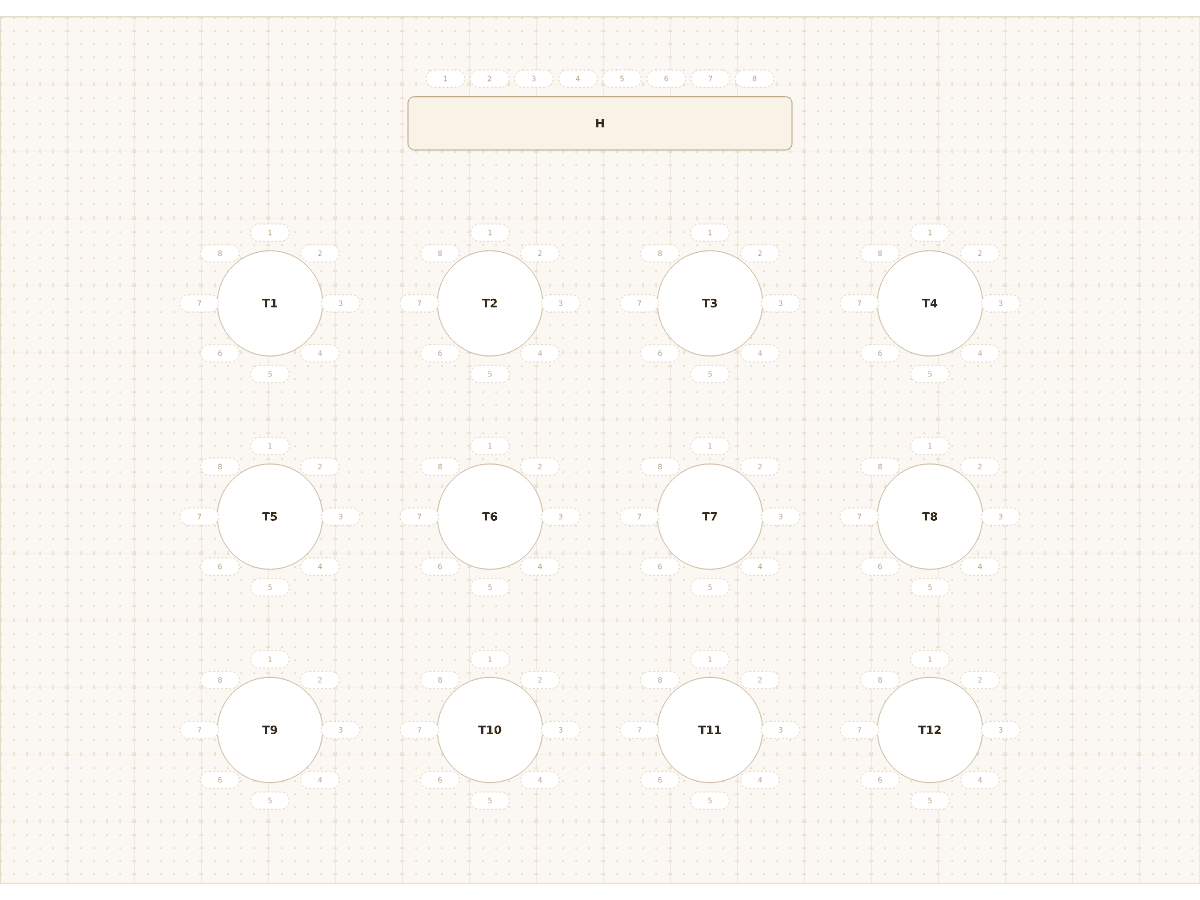 Wedding for 100, round tablesA top table for eight and twelve round tables of eight: 104 seats, the classic banquet-hall layout for a wedding of about a hundred guests.Wedding & events104 seats
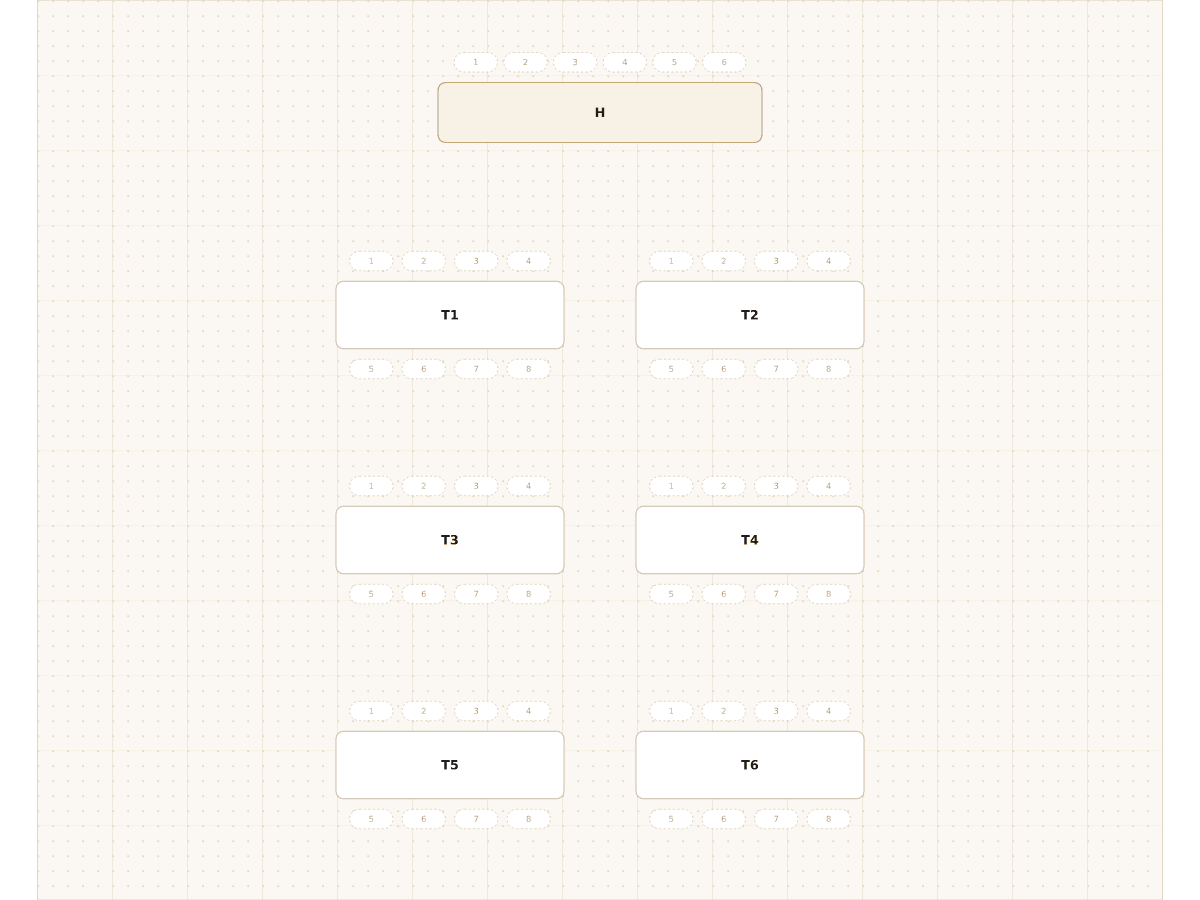 Wedding for 50, long tablesA top table for six and six long tables seating eight each: 54 seats for an intimate wedding or a family celebration.Wedding & events54 seats
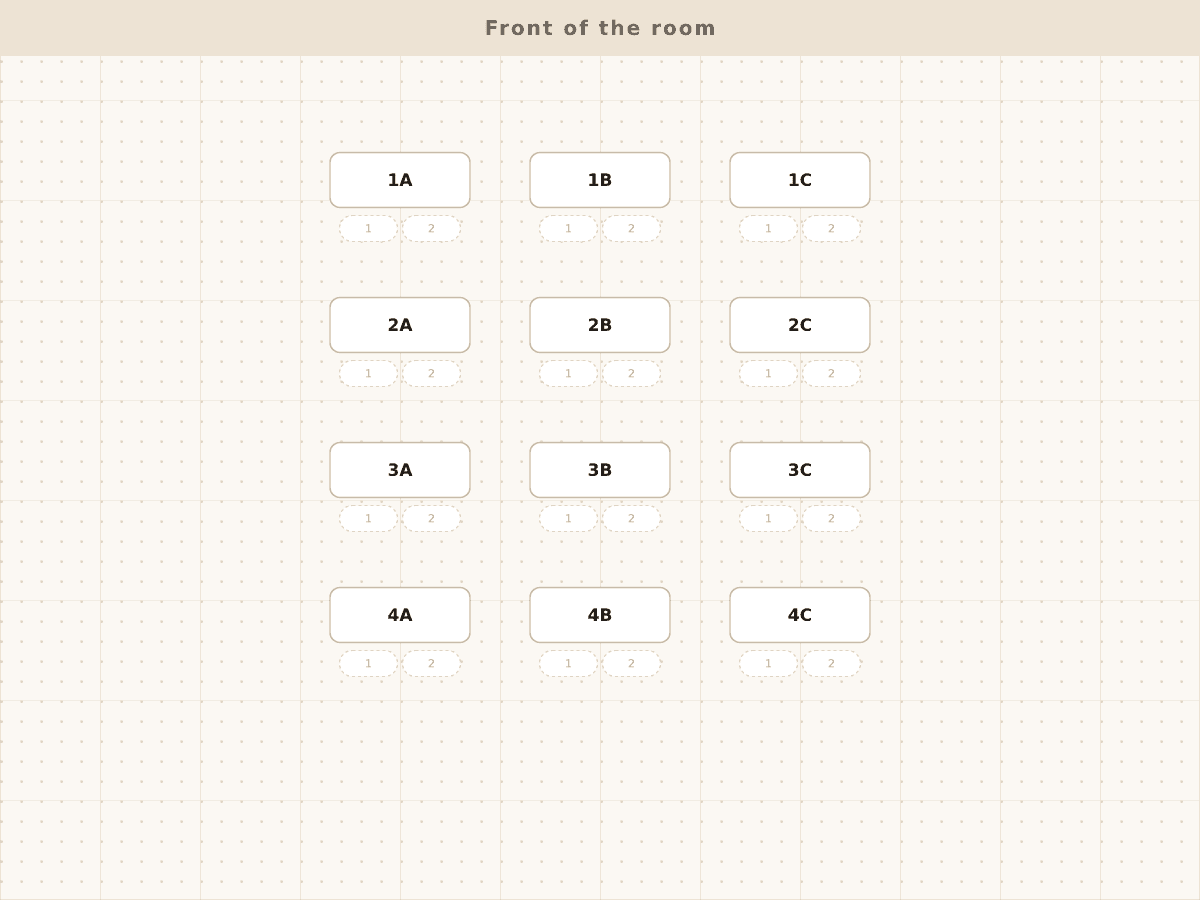 Classroom for 24, desks in pairsTwelve double desks in four rows of three: 24 seats, the standard pair layout for a primary or secondary classroom.Classroom24 seats
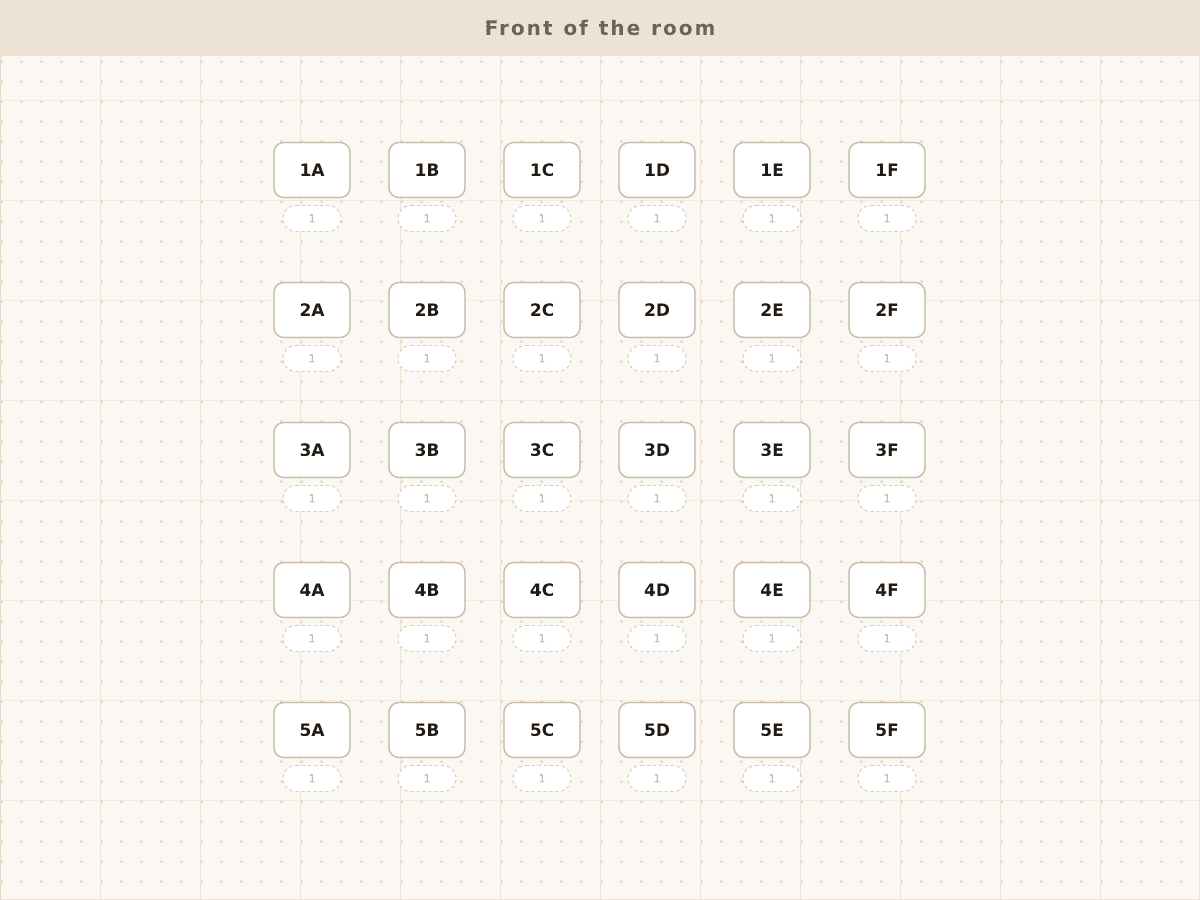 Classroom for 30, single desksThirty single desks in five rows of six, every seat facing the board: the layout for exams and for a class that needs to be spread out.Classroom30 seats
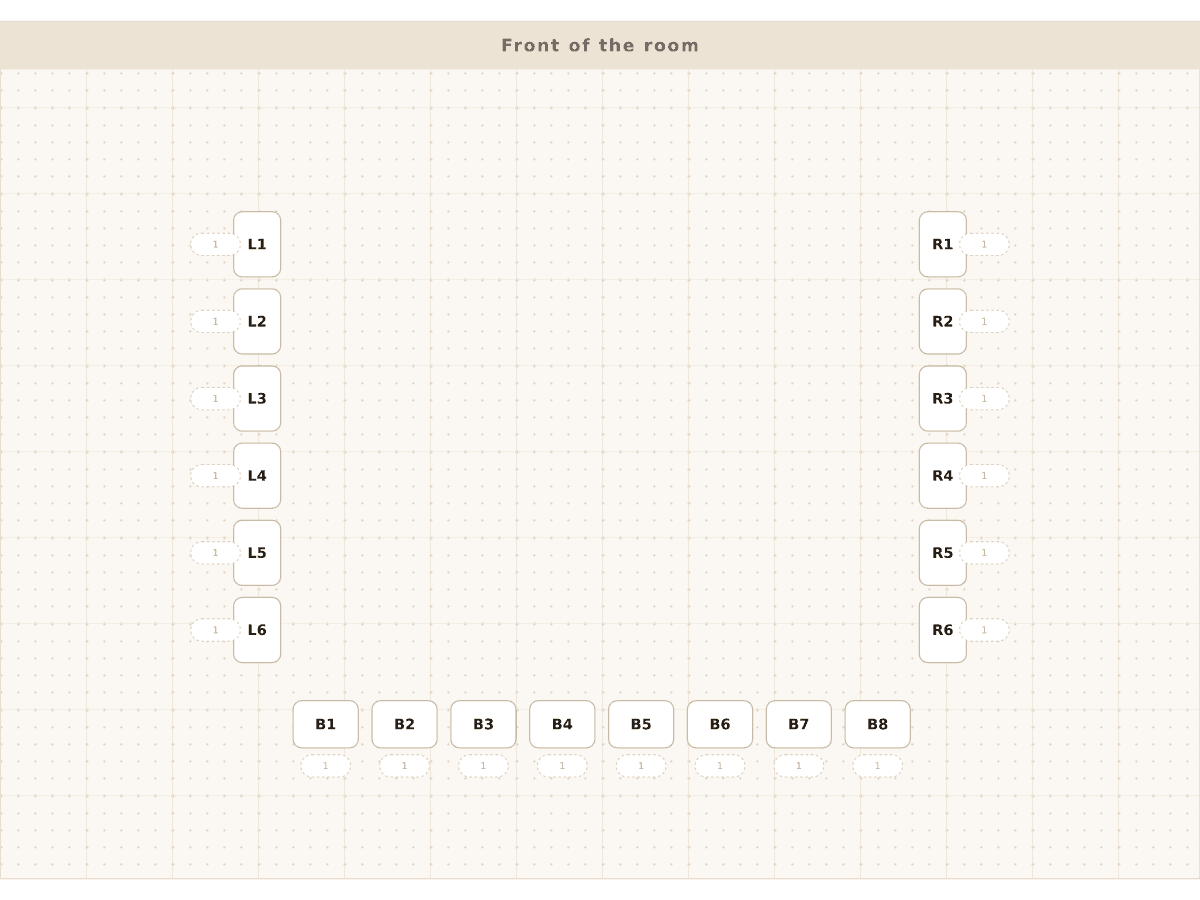 Classroom in a U shapeTwenty single desks in an open U, every student facing the middle: the layout for discussion, language lessons and group work.Classroom20 seats
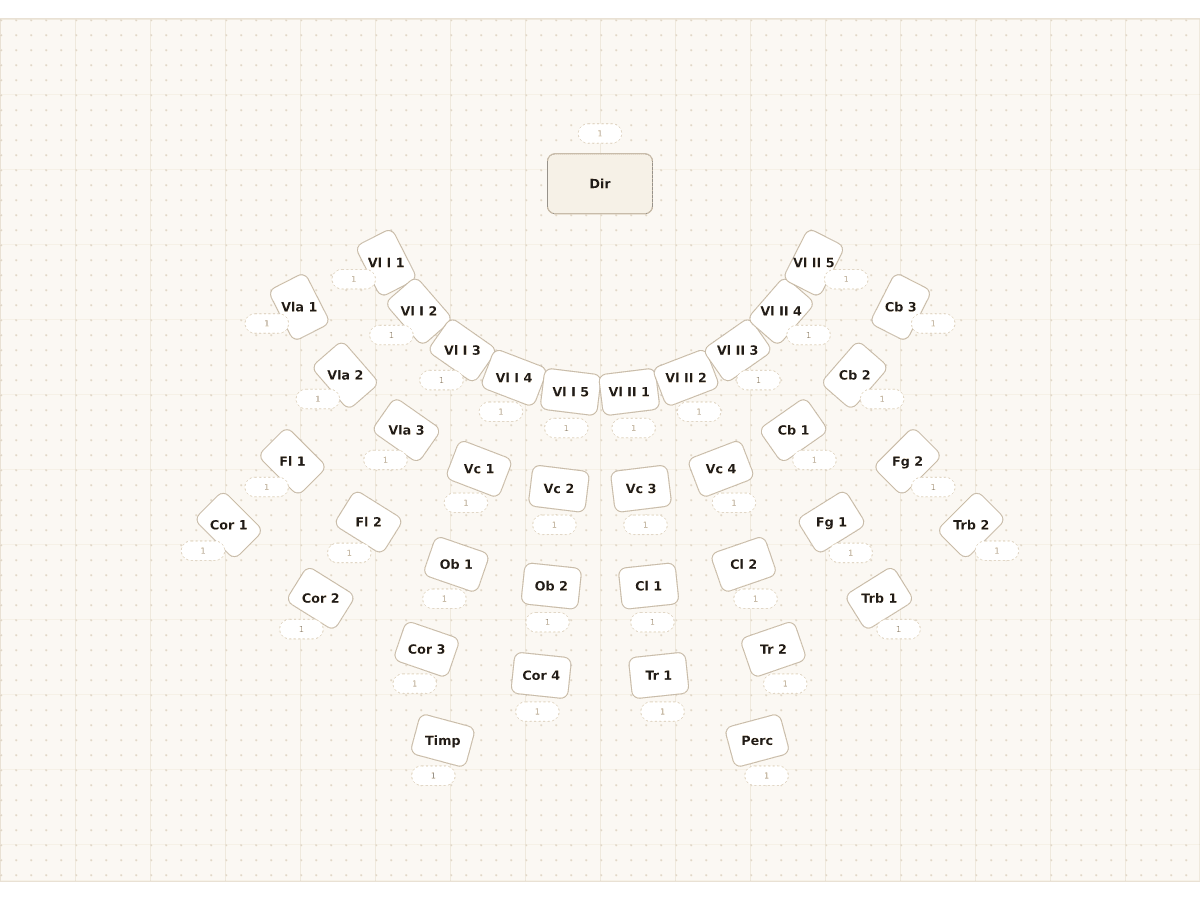 Orchestra by sectionThirty-nine chairs in five arcs around the conductor, laid out by section: strings in front, woodwind, brass and percussion behind.Wedding & events39 seats
What a template actually is here
A template is an ordinary chart that someone already laid out. There is nothing locked in it: every table, desk, label and seat count can be moved, renamed, duplicated or deleted, and the placeholder names disappear the moment you paste your own list.
That means picking the wrong one costs you nothing. Open the closest match and reshape it.
The wedding and event templates
Two layouts cover most receptions. The 100-guest round table plan is ten tables of ten with a head table, which is the default shape of a hotel or hall reception. The 50-guest rectangular plan is long banquet tables running down from a head table, which is what barns, tents and smaller venues usually look like.
There is also a band and orchestra stage plan, arranged in arcs by section, for concerts and rehearsals.
- 100 guests, round tables of 10, plus a head table
- 50 guests, long rectangular tables and a head table
- Orchestra and concert band stage, arranged by section
The classroom templates
Three layouts for three different lessons. Twenty-four desks in pairs is the standard arrangement for a class that works in talk partners. Thirty desks in rows is what you want for tests, for lectures and for classes that need less side conversation. The U shape is for discussion, seminars and language classes where everyone needs to see everyone.
All three count rows from the board, so a front row rule does what it says.
- 24 desks in pairs, for partner work
- 30 desks in rows, for exams and direct instruction
- U shape, for discussion and seminars
Paste your list and press assign
Once the layout is close enough, the rest is the usual workflow: paste the names, add your keep apart and keep together rules, and run the assignment. The template gave you the twenty minutes of dragging, not the decisions.
If you do not see a layout close to your room, start from an empty canvas. Building twelve tables from nothing takes about two minutes.
Questions people ask
Are the seating chart templates free?
Yes. Opening a template, editing it and assigning people cost nothing and need no account. Saving, clean exports and the shared seat lookup link are the paid features.
Can I change the number of seats per table?
Yes, per table. A template with tables of ten can be turned into a room of eights and twelves without starting over.
Can I download a template as a PDF to fill in by hand?
Not as a fillable form. You can export any chart for printing, including one with the placeholder names removed, but it comes out as a printout.
Do templates come with real names in them?
No. They come with placeholders so the layout is readable at a glance, and pasting your list replaces them.
Which template should I use for a small wedding?
The 50-guest rectangular plan, then delete what you do not need. Under about 40 guests, a single long table or two rounds usually beats a room full of small tables.
Keep reading
- Wedding seating chart makerPaste your guest list, drag your tables, mark who sits apart, and get a wedding seating chart in minutes. Free to create. Pay once to export and share.
- Classroom seating chart makerBuild a classroom seating chart in minutes: paste your class list, arrange desks, keep two students apart, reserve the front row, reassign any time.
- Free seating chart makerA free seating chart maker with no sign-up: paste names, arrange tables or desks, set rules, auto-assign. Pay only to save, export clean and share a link.
- Round vs Rectangular Tables: A Seating Chart Template GuideHow round and rectangular tables change conversation, capacity and cost, how many guests each seats, and which seating chart template to start from.